Checkout rules

Decide what your checkout allows.

Hide payment methods like cash on delivery, hide shipping methods, and rename or reorder both. Block orders that break your rules, with your own message. Build each rule from simple AND/OR conditions.

Runs inside Shopify checkout, through Shopify Functions.

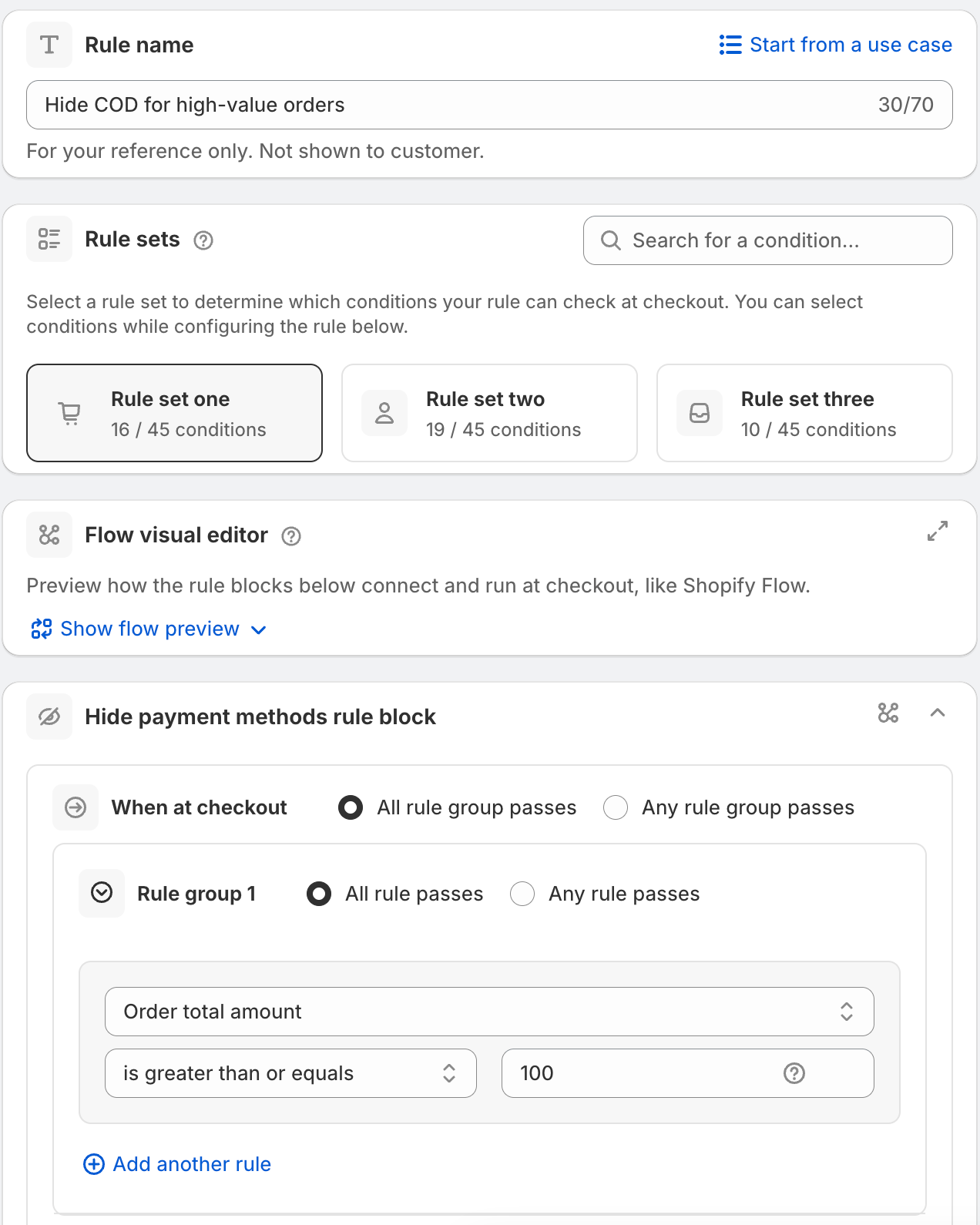
Hide payment methods rule that hides COD on large orders
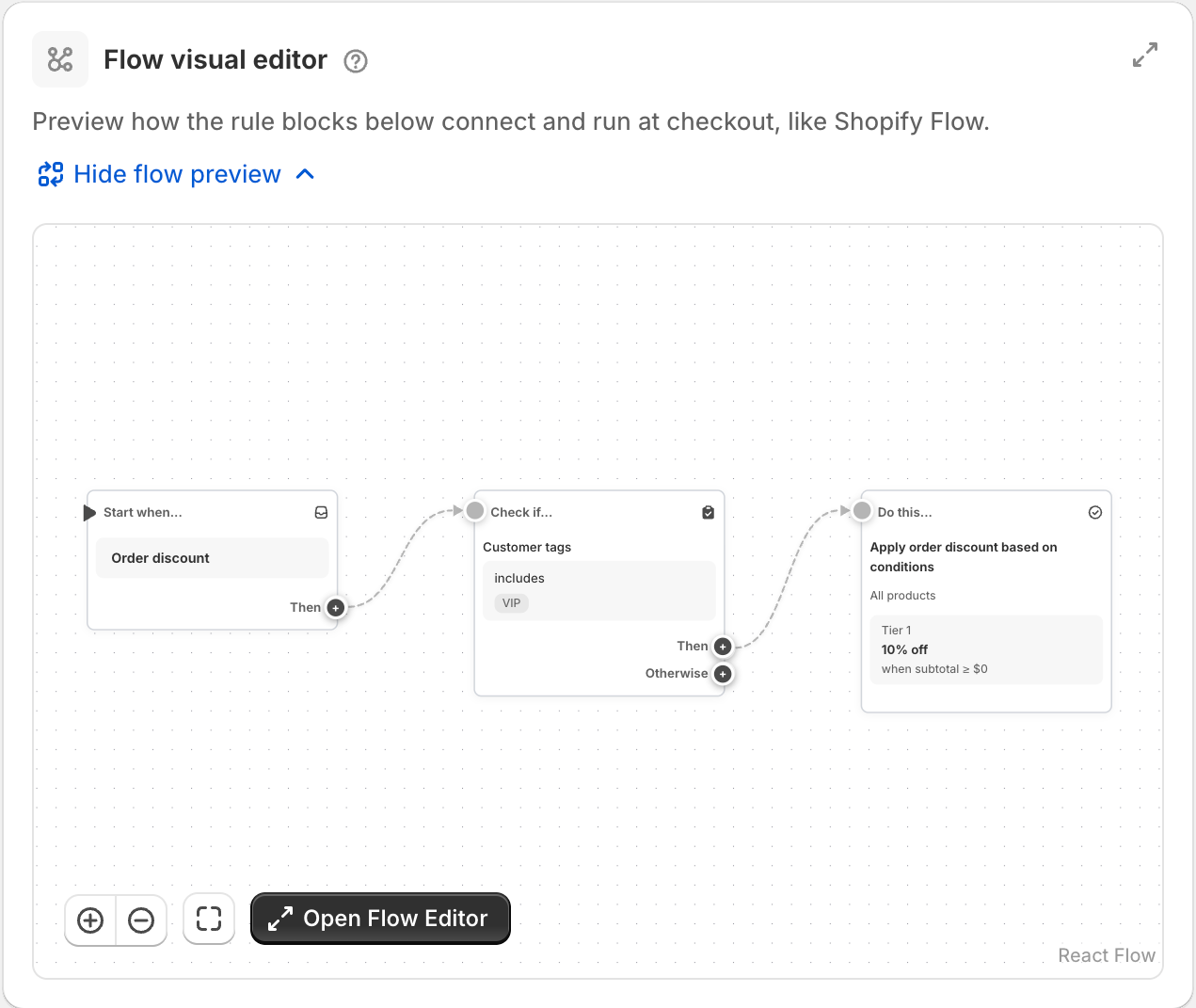
Flow preview of a rule inside the rule form
Most used

Three rules stores set up first.

Hide payment methods

Remove a payment option when the order does not suit it.

  • Hide Cash on Delivery on large orders.
  • Hide Cash on Delivery for international orders.
See the rule
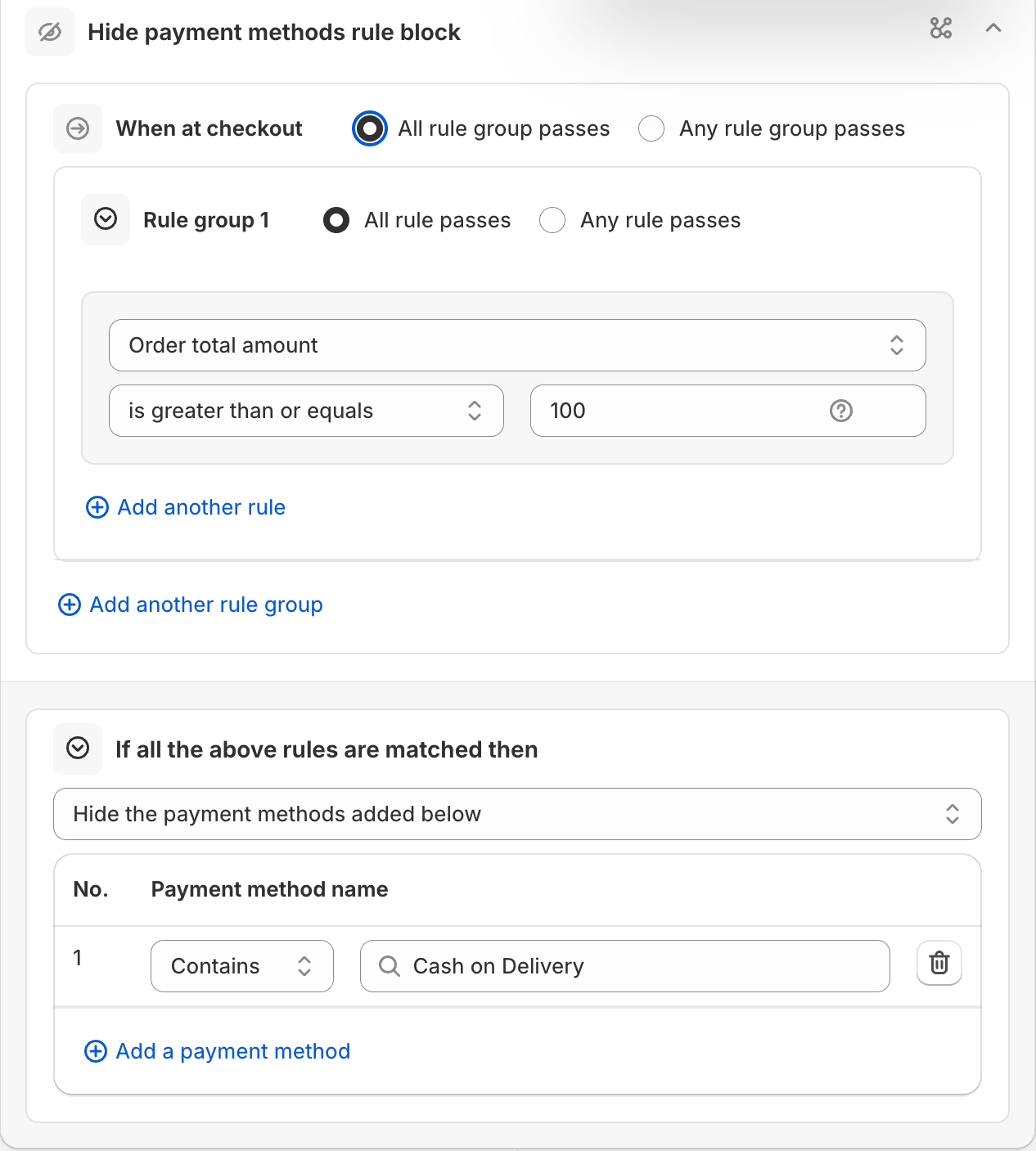
Hide payment methods rule that hides Cash on Delivery on large orders

Block addresses you can't ship to

Stop checkout for PO boxes, military addresses or places you don't serve. Show your own message right at the field.
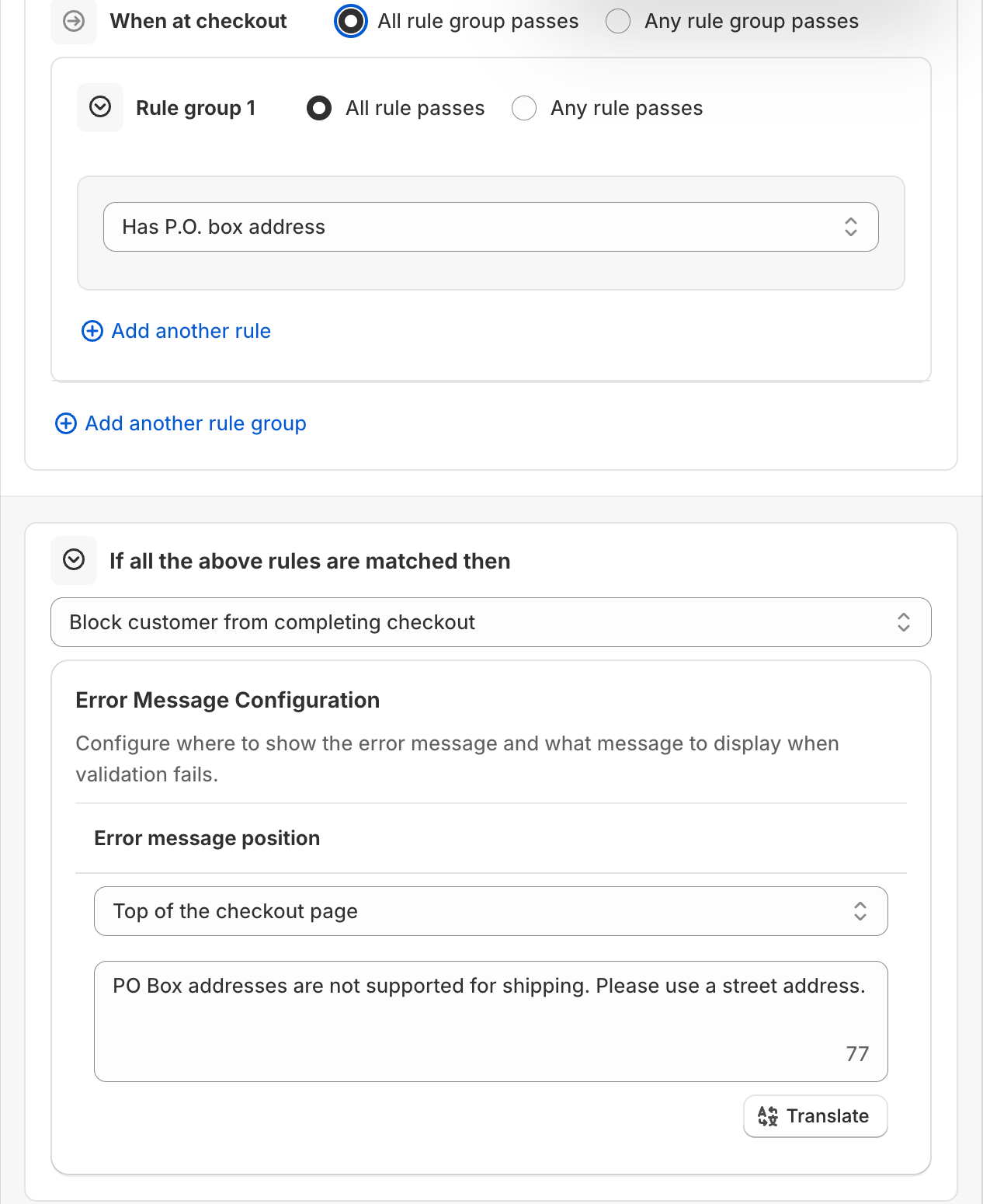
  • Block PO Box addresses.
  • Restrict checkout to domestic orders.
See the rule
Checkout validation rule that blocks PO box addresses with a custom message

Block discount codes

Stop a code where it costs you money. The shopper sees your message and can remove the code.
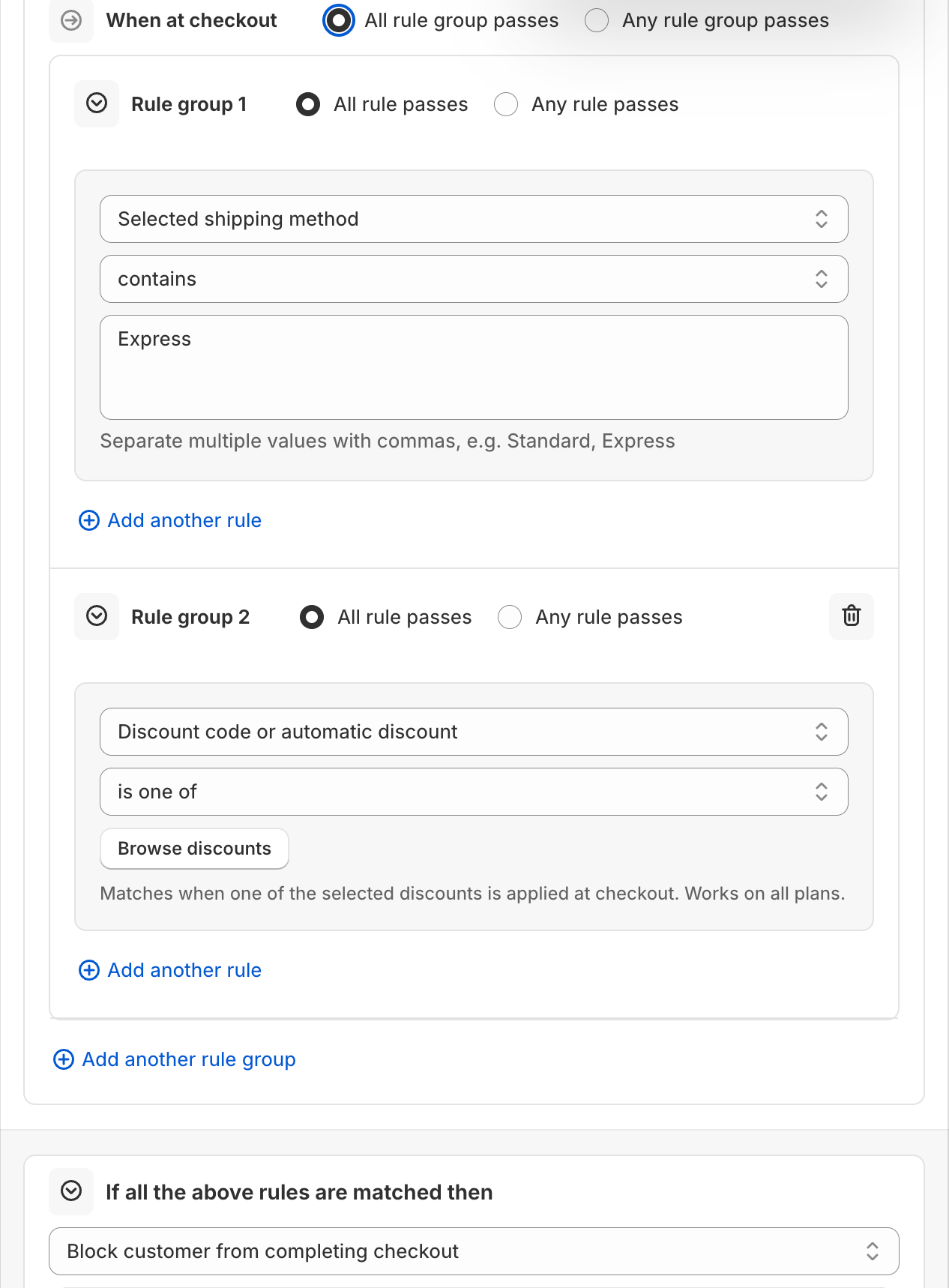
  • Block a specific discount on a shipping method.
  • Block a specific discount on large orders.
See the rule
Validation rule that blocks a discount on a shipping method
Every rule type

One app for every checkout rule.

Pick a rule type, add conditions, save. Each rule type comes with ready-made use cases.

Validation
Checkout validationPopularBlock checkout below a minimum order amount, with your own message.
Payment
Hide payment methodsPopularHide Cash on Delivery on orders over a set amount.
Rename payment methodsAdd a surcharge notice to the credit card option.
Reorder payment methodsMove Cash on Delivery to the bottom.
Hide express checkout optionsHide the express buttons for subscription products.
Shipping
Hide shipping methodsPopularHide express shipping for heavy orders.
Rename shipping methodsAdd an estimated delivery date to a rate name.
Reorder shipping methodsPut local pickup at the top.

Rename and reorder also help you translate or tidy the names shoppers see.
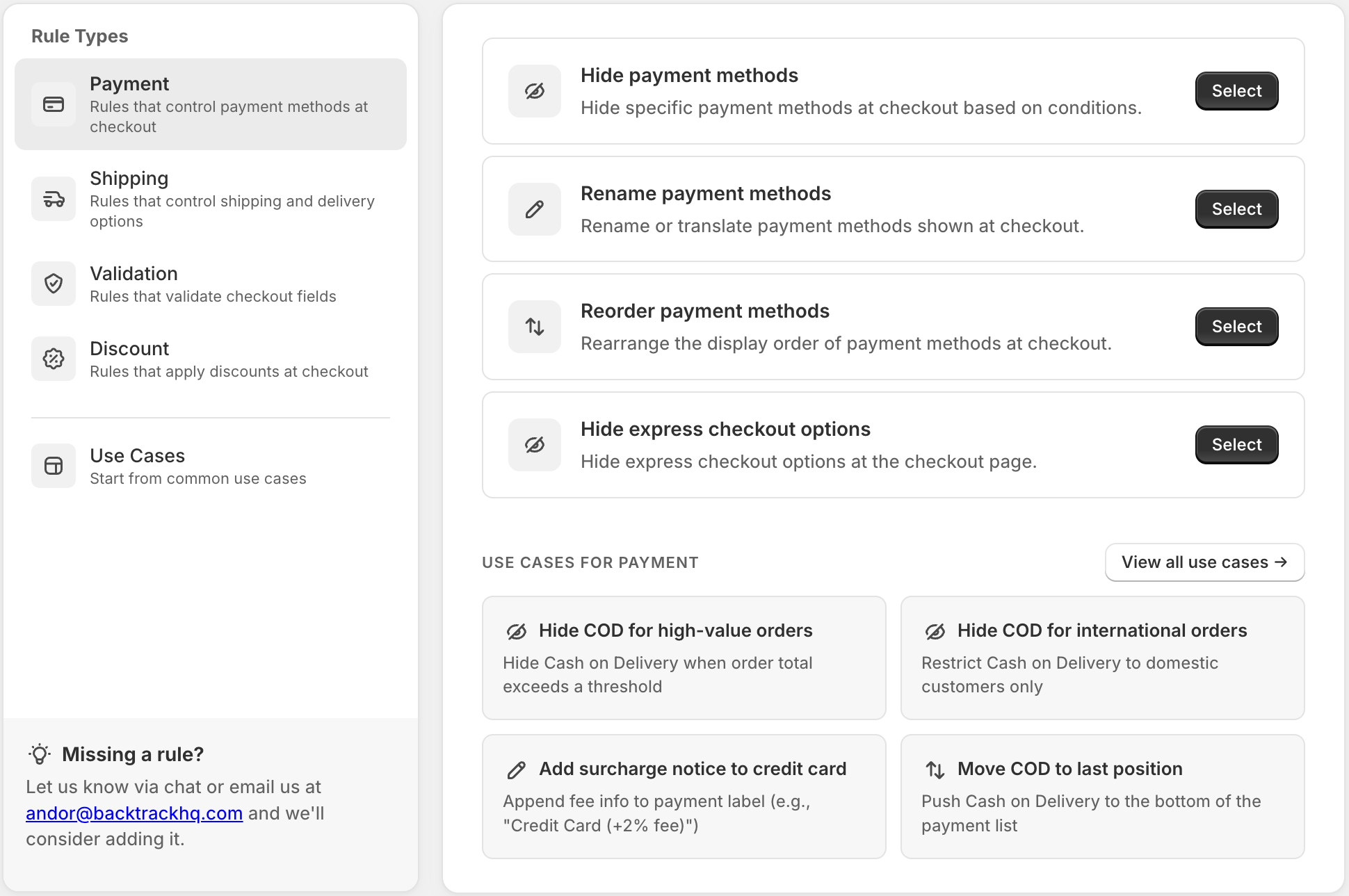
Choose a rule type: payment, shipping, validation and discount
Conditions

Build with AND and OR.

Put conditions in groups. Choose if all of them must pass, or any one. Mix groups the same way.

Cart
  • Order total amount
  • Order subtotal amount
  • Order total quantity
  • Order total weight
  • SKU
  • Product tags
  • Collection
  • Cart has subscription item
  • Cart attribute
Customer
  • Customer tags
  • New customer
  • Repeat customer
  • Customer total previous spent
  • Customer is logged in
  • Email address
  • Purchasing company
Address
  • Country code
  • Province code / State code
  • City / Area
  • Zip code / Postal code
  • Address line 1 and 2
  • Has P.O. box address
Time
  • Day of the week
  • Time of the day
  • Date and time
Checkout
  • Selected shipping method
  • Discount code or automatic discount
  • Any discount applied

Each rule type shows the conditions that fit it.

  • Many values in one field.Type Dubai, Abu Dhabi, Sharjah and the rule matches any of them.
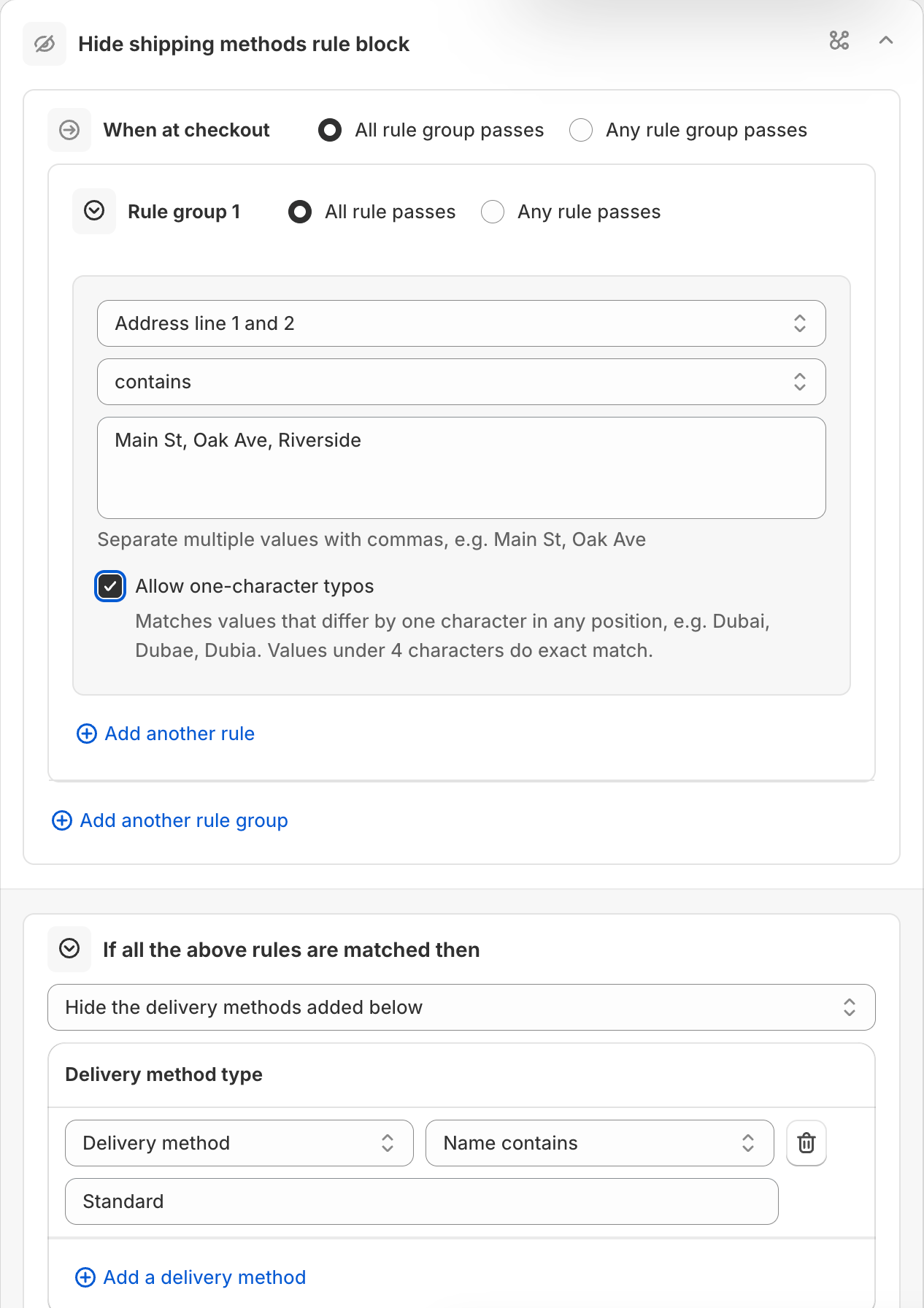
  • Forgive small typos.For shipping rules, Allow one-character typos matches Dubai, Dubae and Dubia.
  • Your own words.Validation rules show your message at the top of checkout or right under the field.
Shipping rule matching a list of street names with one-character typo matching
Flow visual editor

See your rule as a flow.

Every rule can open as a diagram, like Shopify Flow. Start when, check if, do this. Follow each path before you save.
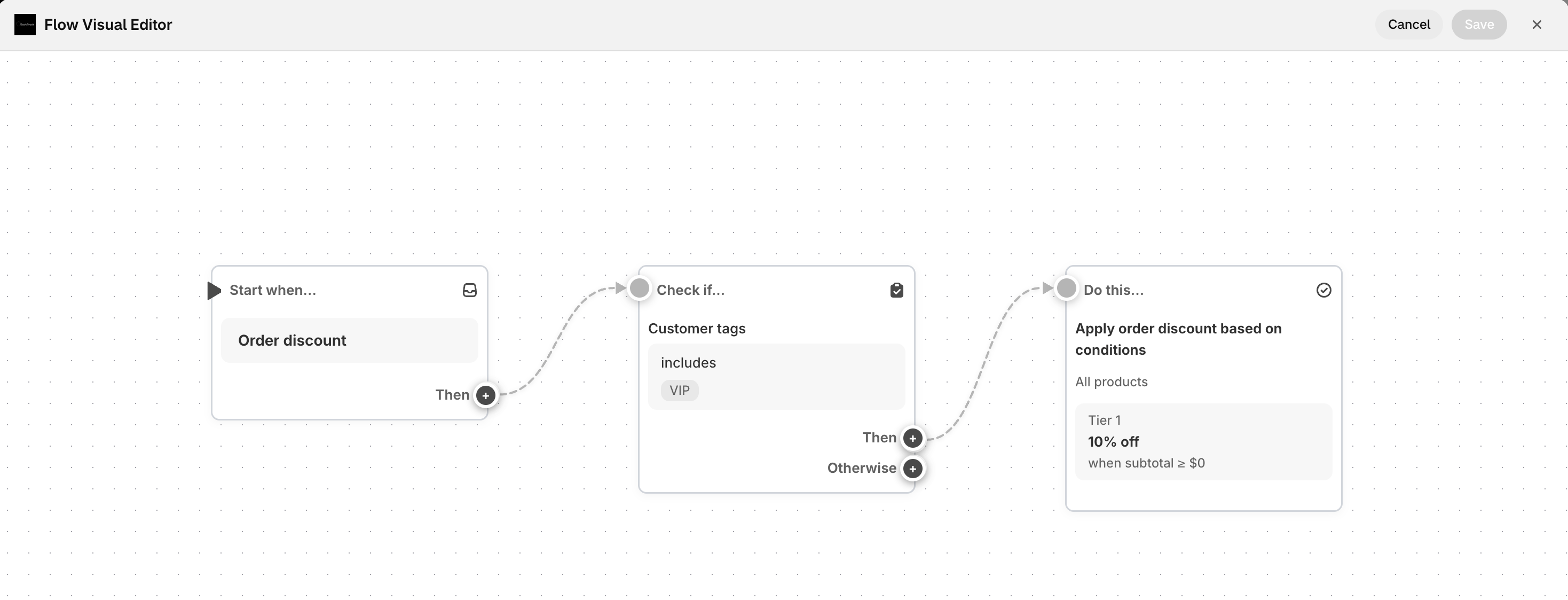
Flow visual editor showing a rule as connected steps
Safe testing

Test it before shoppers see it.

Save a rule as Draft. It only runs for the test email shown in its Status card, so only you see it. Happy with it? Set it to Active.
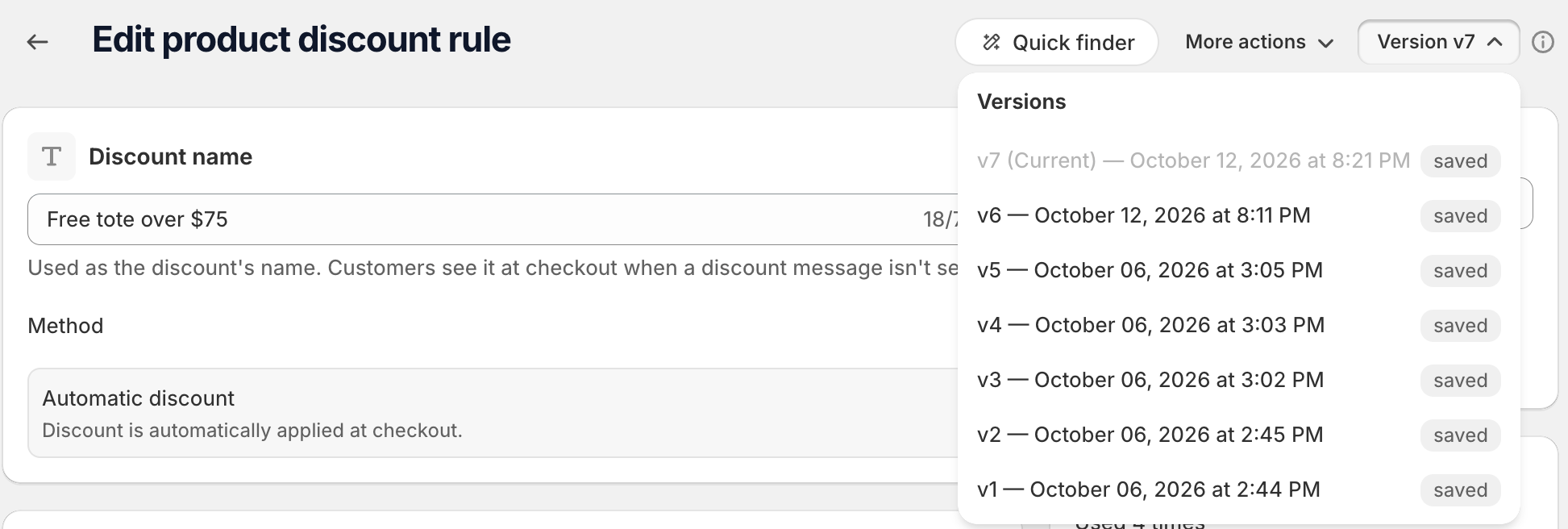
  • Draft, Active or Inactive on every rule.
  • Unlimited draft rules.
  • Turn a rule off without deleting it.
Version history menu on a rule
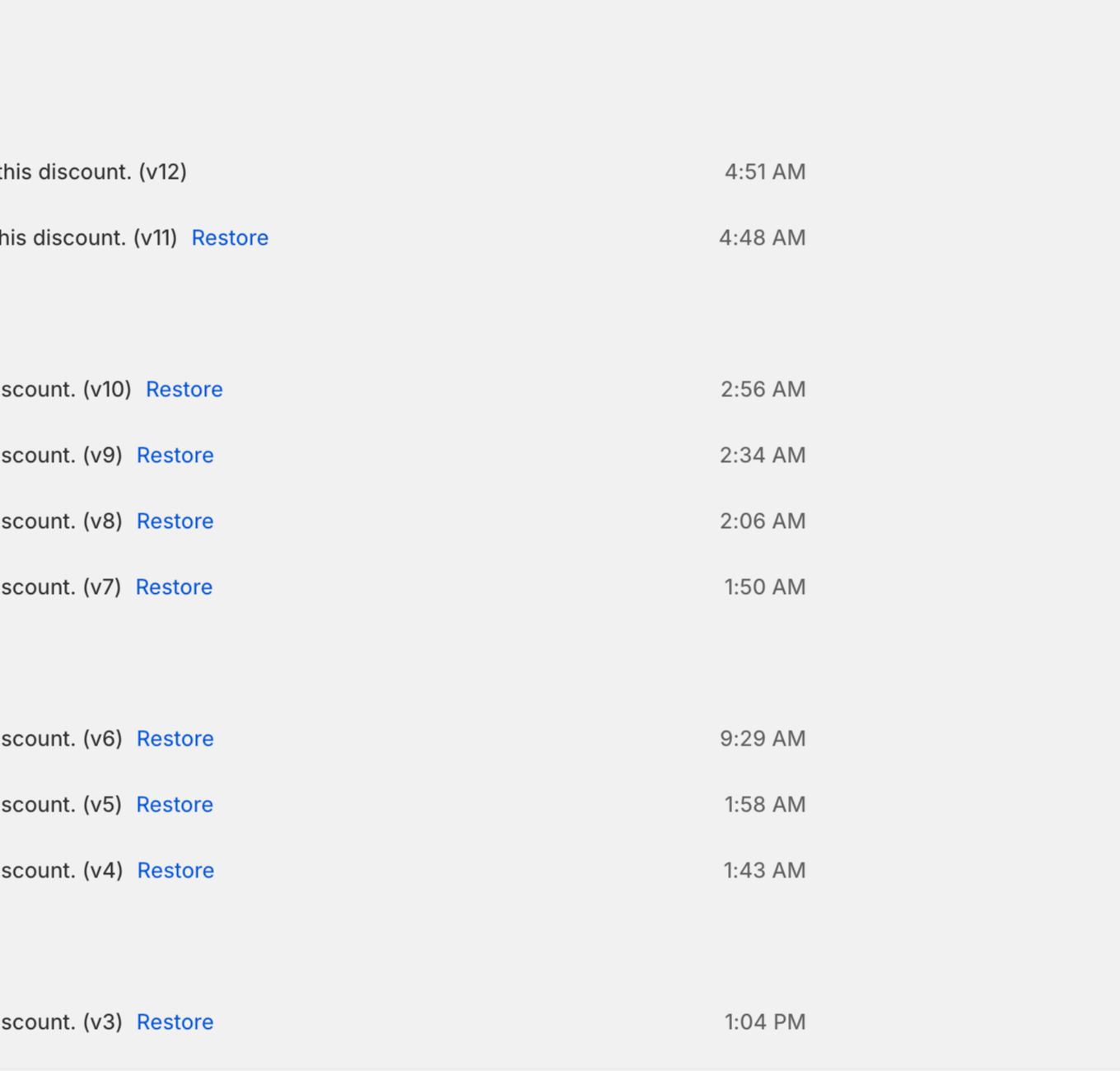
Timeline of rule changes with Restore links
History

Every change saved.

The Timeline lists every edit. Version History keeps each save. Restore any version in one click.

Manage rules

Built for stores with many rules.

Change many rules at once, copy what works, and move rules between stores.
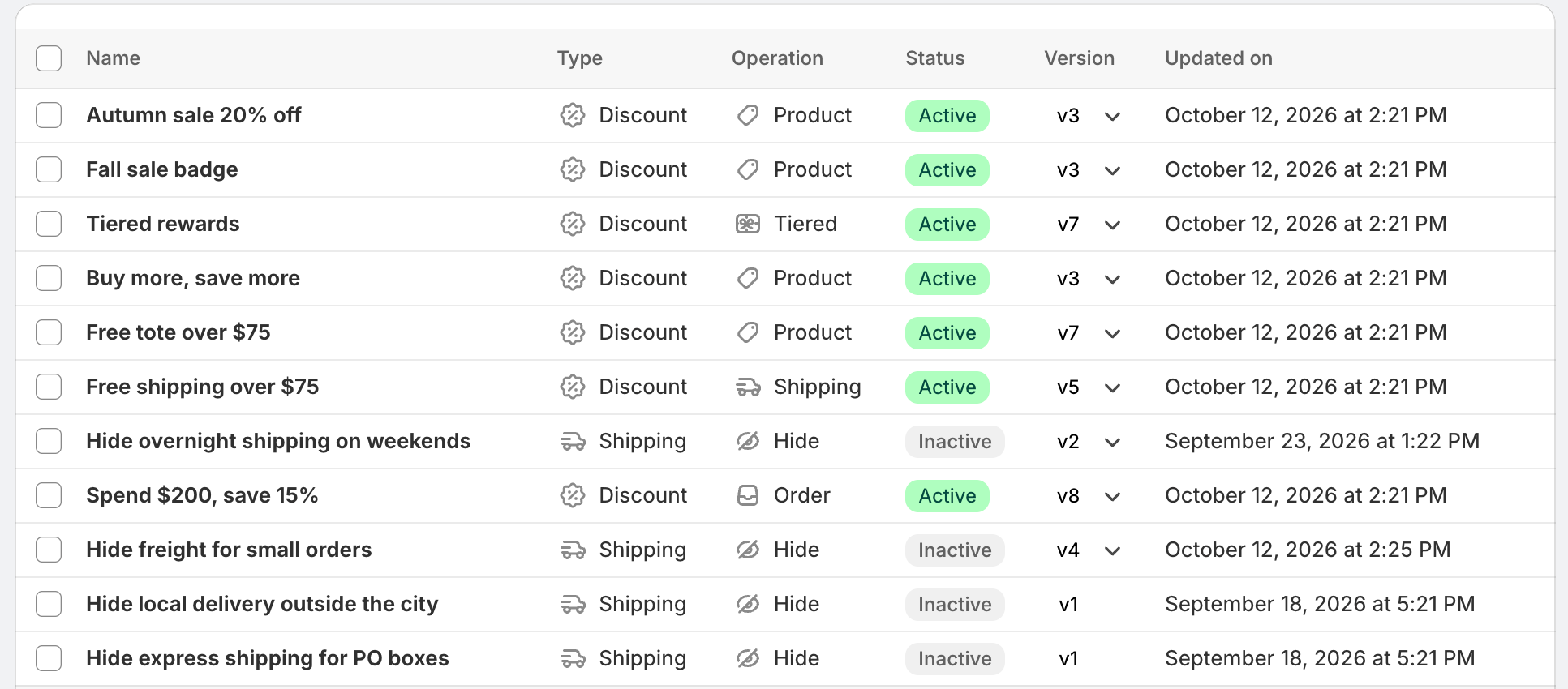
  1. Bulk actionsSelect rules and Activate, Deactivate, Set as draft or Delete them in one go.
  2. DuplicateCopy a rule, change a value, save. Useful for one rule per market.
  3. Export and importDownload rules as a ZIP or JSON files. Import them into another store. Imported rules start inactive.
  4. RestoreReinstalled the app? Bring your previous rules back.
Rules list with shipping, payment and discount rules
Sidekick

Ask Shopify's assistant about your rules.

Sidekick, the AI assistant in your Shopify admin, works with AndOr.

  • Find rules."Which payment rules are active?"
  • Explain a rule.In plain words, from your real setup.
  • Draft a rule.Describe it. Sidekick fills in the rule builder.
  • You stay in control.Nothing changes until you press Save.
Use cases

Start from a ready-made rule.

50+ ready-made checkout use cases. Pick one, adjust the values, save.
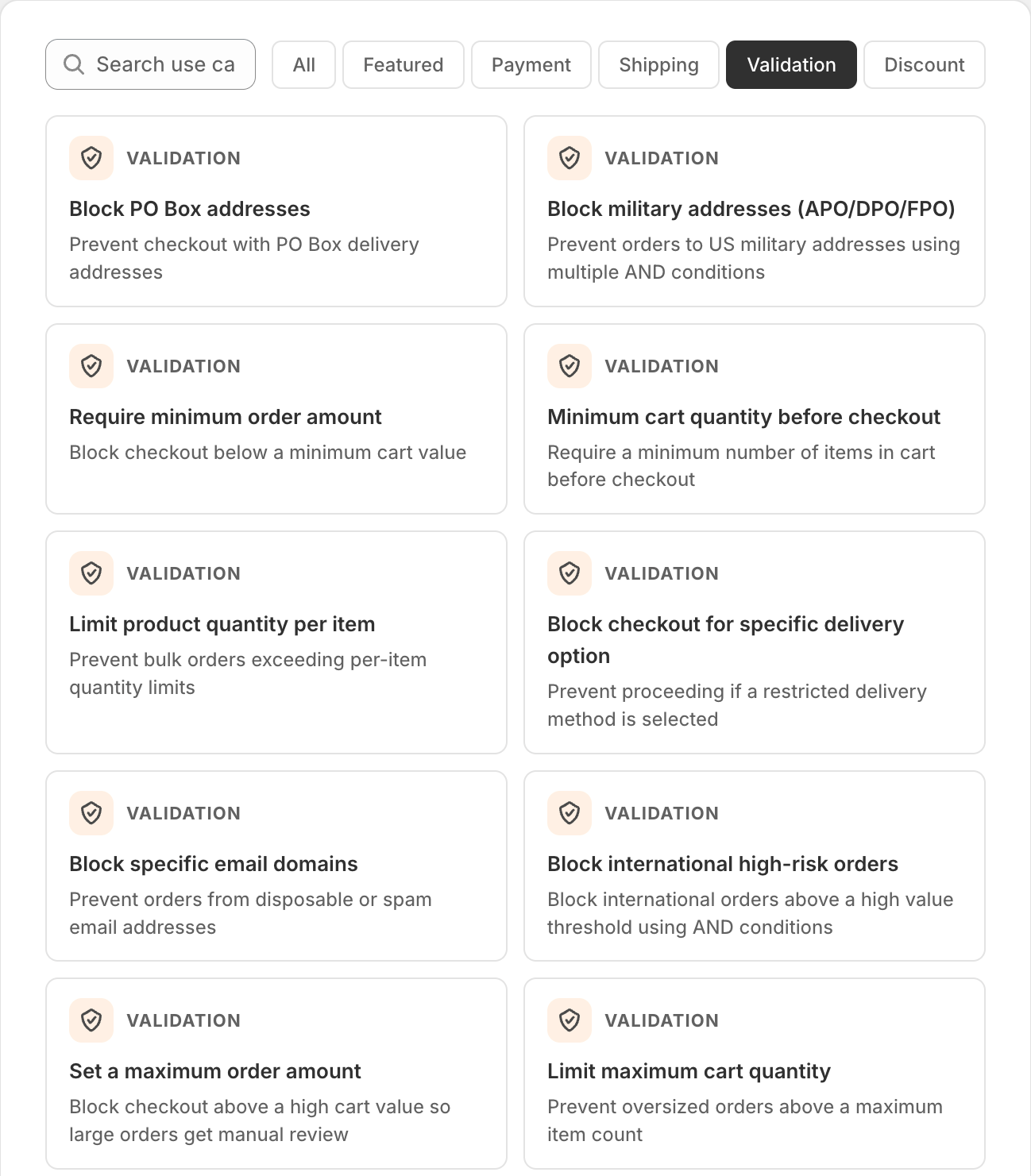
  • Hide COD for high-value orders
  • Hide COD for international orders
  • Hide PayPal for low-value orders
  • Move COD to last position
  • Add surcharge notice to credit card
  • Hide express for subscription products
Use case gallery filtered to checkout validation
Discount rules

Discounts use the same builder.

Product, order, shipping, combined and tiered discounts, with the same AND/OR conditions.
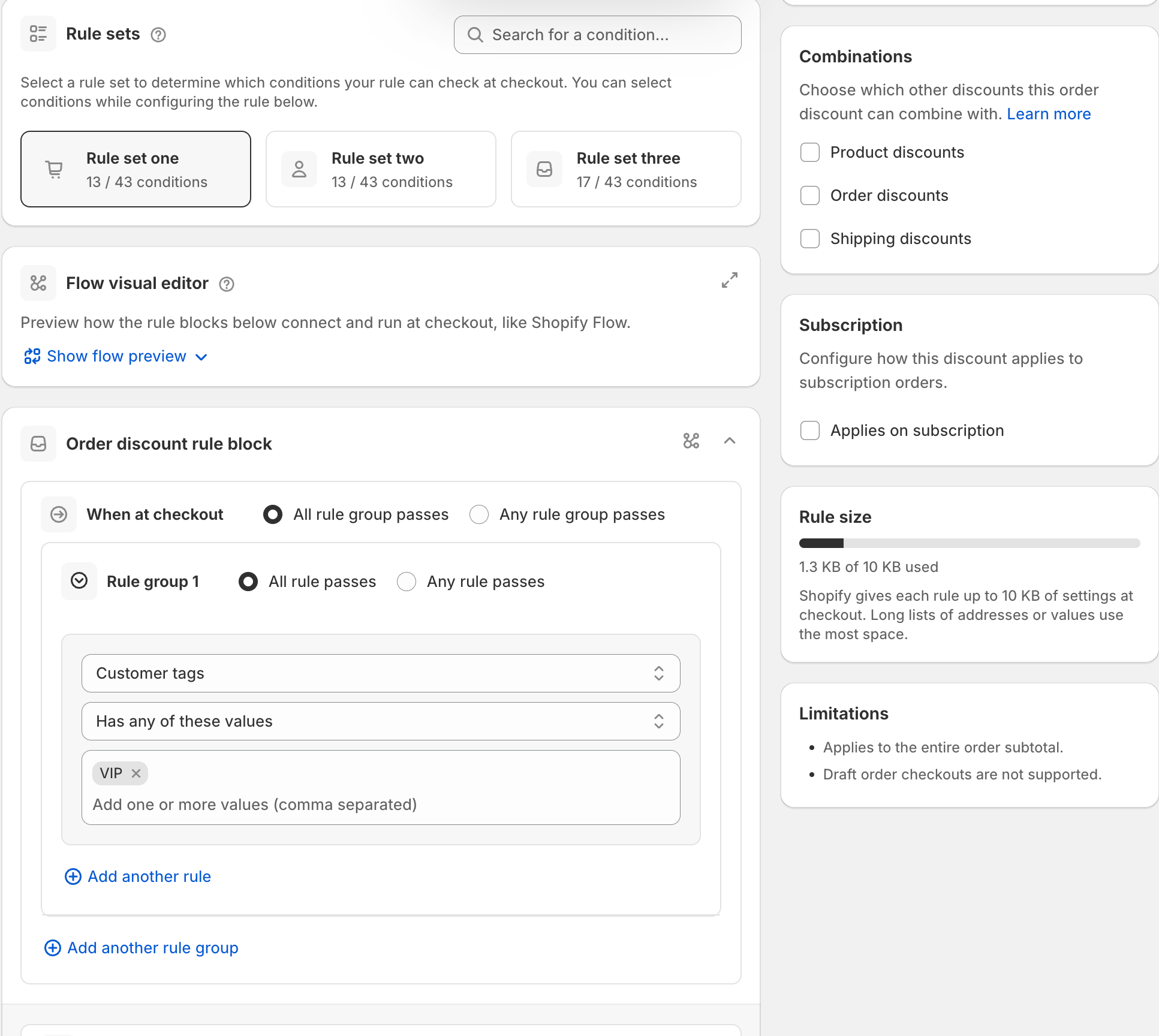
Product discountMoney off products, collections or variants.
Order discountMoney off the whole order.
Shipping discountFree or cheaper shipping.
Combined discountProduct, order and shipping discounts in one setup.
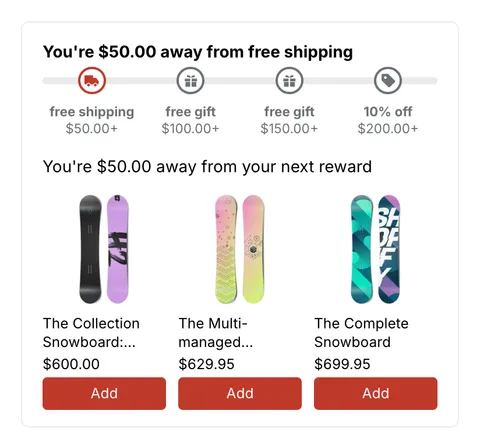
Tiered rewardsFree shipping, free gifts and money off on one progress bar.
Explore gifts and tiered rewards
Order discount rule with a customer tag condition
FAQ

Questions merchants ask.

Rules run in Shopify's online checkout. Here is what merchants ask most.

Read the docs
Do I need Shopify Plus?

No. AndOr works on all Shopify plans except Shopify Starter. A few conditions say "Plus required" in the app, for example matching wildcard discount codes.

Where do the rules run?

Inside Shopify's online checkout, through Shopify Functions. They do not run in Shopify POS. Shopify also applies payment, delivery and validation rules when a draft order is paid through checkout.

Can I hide Shop Pay, Apple Pay or PayPal buttons?

Yes, with Hide express checkout options. It hides the express buttons at the top of checkout. The same methods can still show in the payment section. Shopify also limits some wallets: they can be hidden but not reordered, and logo methods can't be renamed.

How do I test a rule safely?

Save it as Draft and check out with the test email shown in its Status card. Only you see the result.

How many rules can I have?

It depends on your AndOr plan. Shopify allows up to 25 active rules of each type per store.

Can I move rules to another store?

Yes. Export rules as a ZIP or JSON files, then import them in the other store. Imported rules start inactive, so you can check them first.

Is the app in my language?

The AndOr admin is available in 22 languages.

Your checkout, your rules.