 See it in action
 Show your deals. Grow your revenue.
Most Shopify discounts only show up at checkout. AndOr shows your deals on your product pages, collections and cart. Then it nudges shoppers to the next tier, so they add more and your average order value grows.
Built on Shopify Functions. Set up in two steps.
- 1Discount
- 2Storefront widgets
- 3Upsell offer
A product page for a stoneware mug, taken apart into its three promotion parts: the discount (up to 15% off), the storefront widgets (tier cards: 2 mugs save 10%, 3 mugs save 15%), and the upsell offer ("Add 1 more and save 15%").
The widgets your promotions need. See all widgets

Deals your shoppers can't miss.
AndOr on the product page, in related products and in the cart drawer.
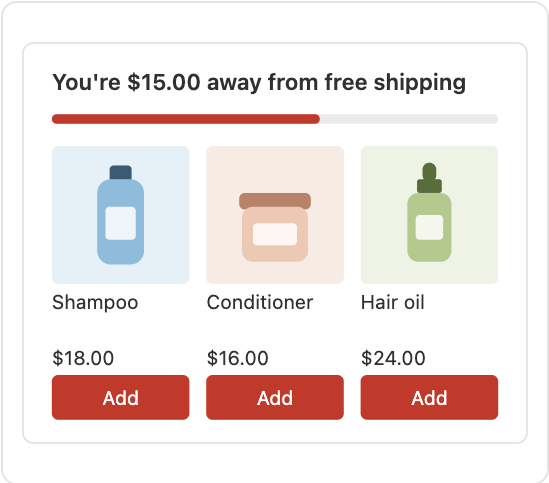
A free shipping bar and an upsell offer right in the cart drawer, plus suggestions that complete the look. Shoppers add them in one click.
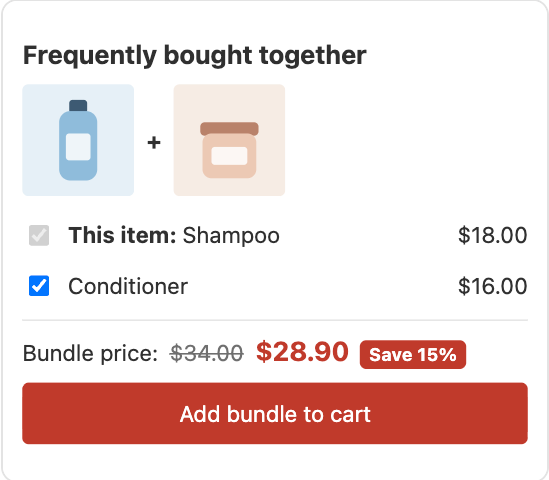
Upsell offersA bundle of products you pick, on the product page, with the bundle price and one Add bundle to cart button.
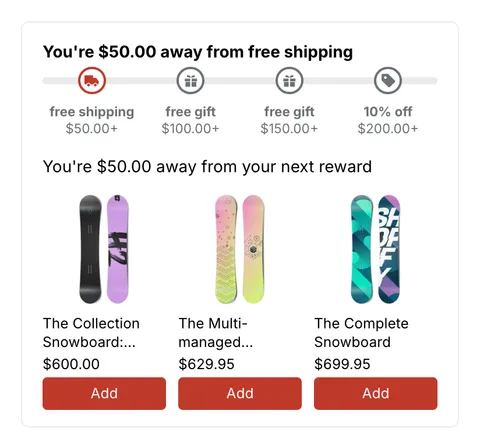
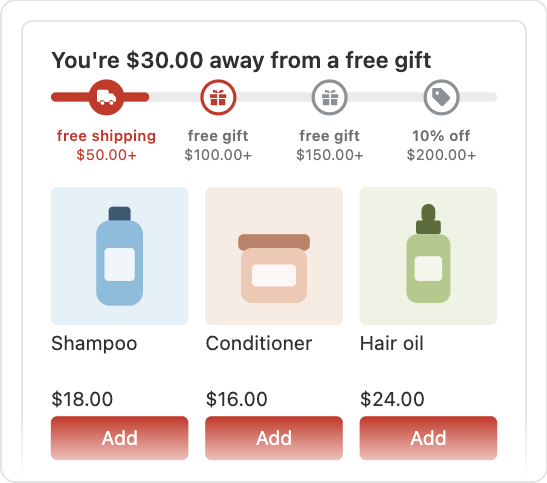
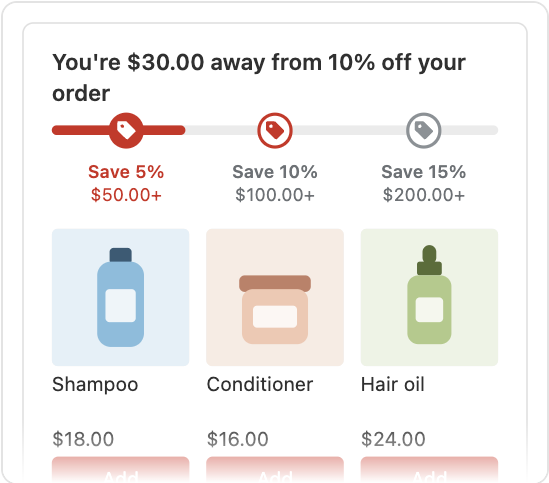
PromotionsSpend more, save more: the goal bar shows each reward, and suggestions help shoppers reach the next one.
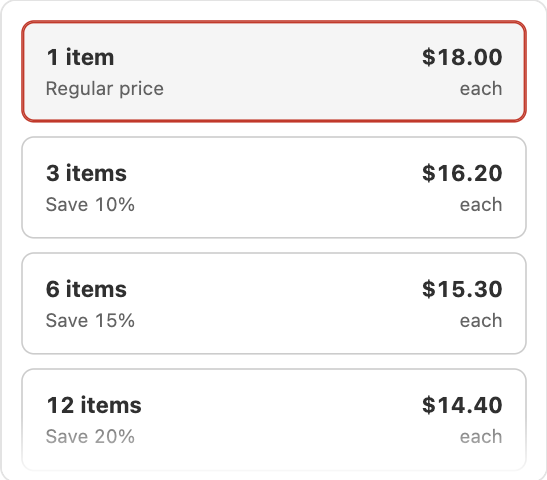
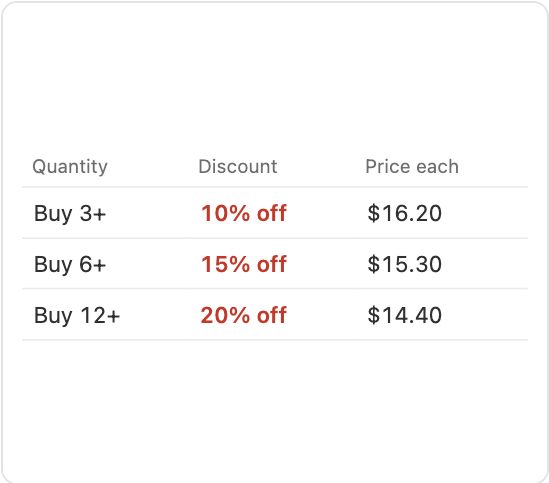
PromotionsVolume tiers show the price at each quantity, with a line that says how many more to add for the next tier.
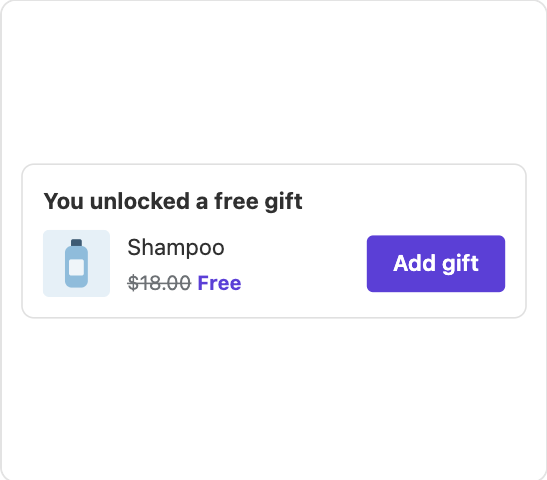
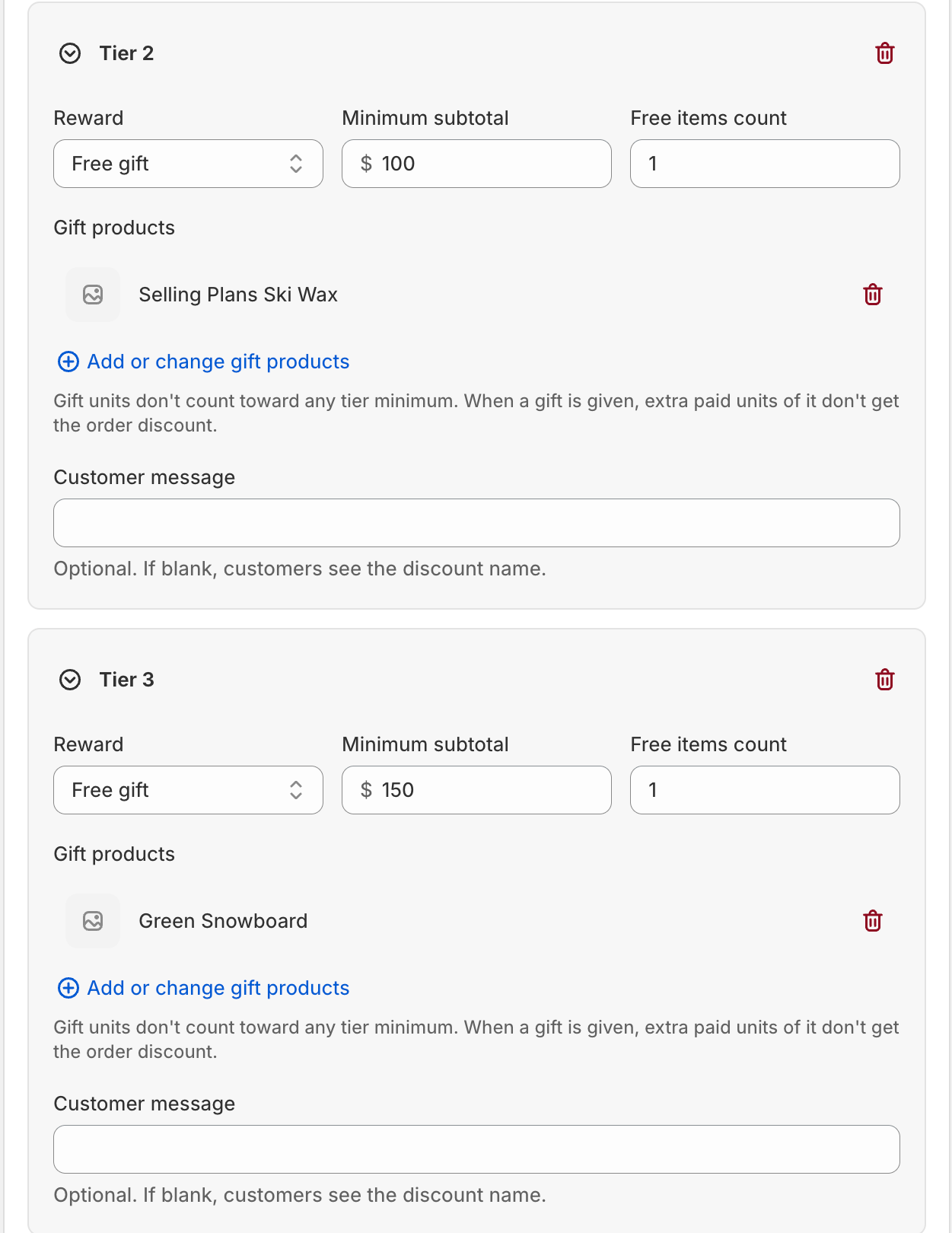
PromotionsA free gift is added when the cart reaches a goal, or shoppers choose it in the cart drawer.
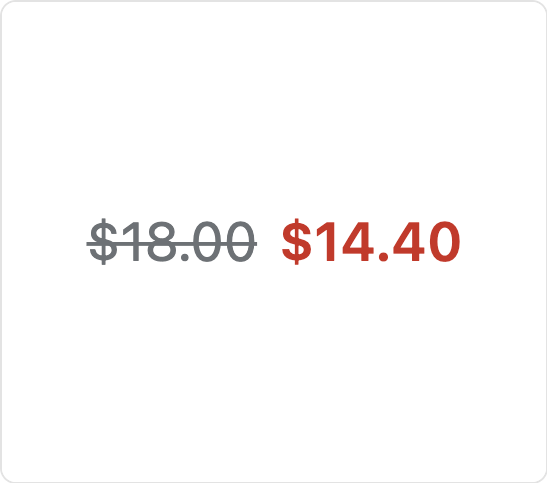
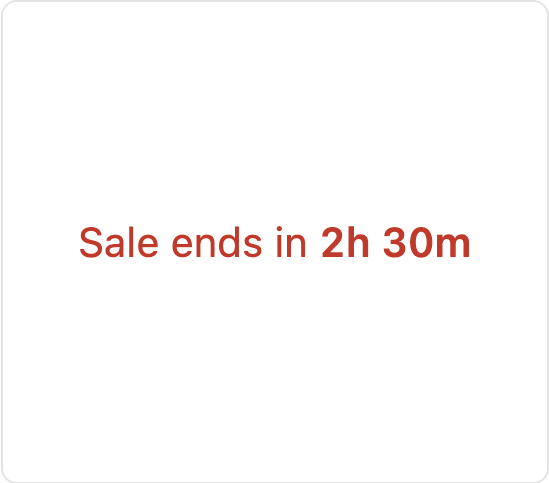
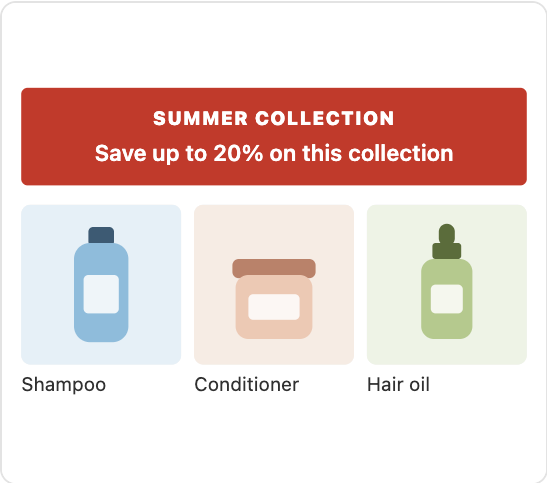
Gift with purchaseA countdown shows the time left in a sale, beside the strikethrough price, with sale badges on collection cards too.
Storefront widgets










 Travel serum
 Repair shampoo
 Hair oil










Raise average order valuewith the deals you run.
AndOr shows each deal on your store, nudges shoppers to add more, and reports what every promotion and offer adds.
Made for what you sell.
The features that fit each kind of store.

Sell the second sweater.
- Volume discounts: Buy 2, save 15%
- Free shipping bar in the cart drawer

Gifts that bring them back.
- Free gift with purchase
- BOGO: buy one, get one free



The full routine, in one click.
- Frequently bought together bundles
- Countdown sale with a timer



Beans, and the mug to match.
- Cart upsell: add the mug for 15% off
- Coffee and mug bundle


Shoppers can't buy a deal they can't see.
Most Shopify discounts only show up at checkout. Until then your product pages show full price, and shoppers have no reason to add more. AndOr adds the two missing parts from one promotion.
Volume discount
Promotion · All products
- Revenue from upsell offers
- $2,847
- Add rate
- 33%
- Visits
- 1,204
Switch a part off to see what shoppers lose.
Stoneware mug
Add 1 more and save 15%
- 1Discount
Volume tiers, bundles, Buy X get Y, gifts and order goals, applied by Shopify Functions at checkout.
- 2Storefront widgets
Sale prices, badges, countdowns and banners put the deal where shoppers decide.
- 3Upsell offer
Tiers, bundles, gifts and goals give every cart a reason to grow. You see the revenue each one adds.
Your deals, in plain sight.
Sale prices, savings badges, countdowns and banners show your discounts on product, collection and cart pages. They read your live discounts, so what shoppers see is exactly what checkout charges.
Give every cart a reason to grow.
Volume pickers, goal suggestions, bundles, Buy X get Y and free gifts turn a discount into a bigger order. Show them on the product page, the cart page or the cart drawer. Try them here. They work the same way on your store.
One product page. Every promotion.
Pick a promotion, then shop the page like a customer would. Add to cart, open the drawer, claim the deal, choose the gift. This is what your shoppers will see.
Field Pottery
Stoneware mug
Add 1 more and save 10%
Frequently bought together
- This item: Stoneware mug$28.00
- Clay bowl$36.00
Bundle price: $64.00 $54.40 Save 15%
Free returns within 30 days. Ships in 2 days.
This promotion
- 1DiscountBuy 2 save 10%, buy 3 save 15%
- 2Storefront widgetsTier cards and a savings line
- 3Upsell offerThe next saving under the tier cards
Gift settings from the admin
- Add the gift for the shopper
- Let shoppers choose their gift
- Open the gift chooser when the gift unlocks
- Don't add the gift again after the shopper removes it
Shoppers have no way to get this gift. Turn on "Add the gift for the shopper" or "Let shoppers choose their gift".
Last cart request example
POST /cart/add.js
{ "items": [] }
Storefront events
- Shop the page to see events.
Gifts that get added on their own.
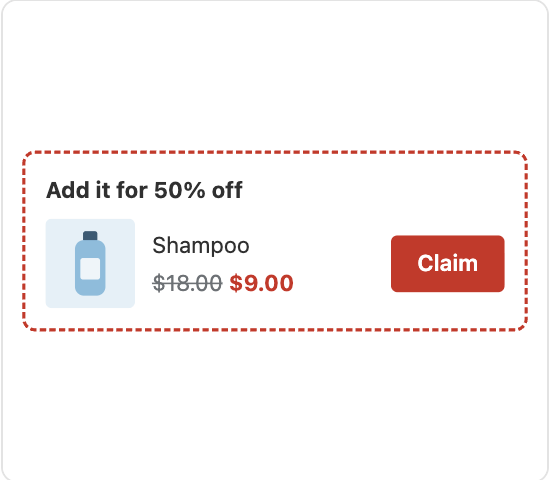
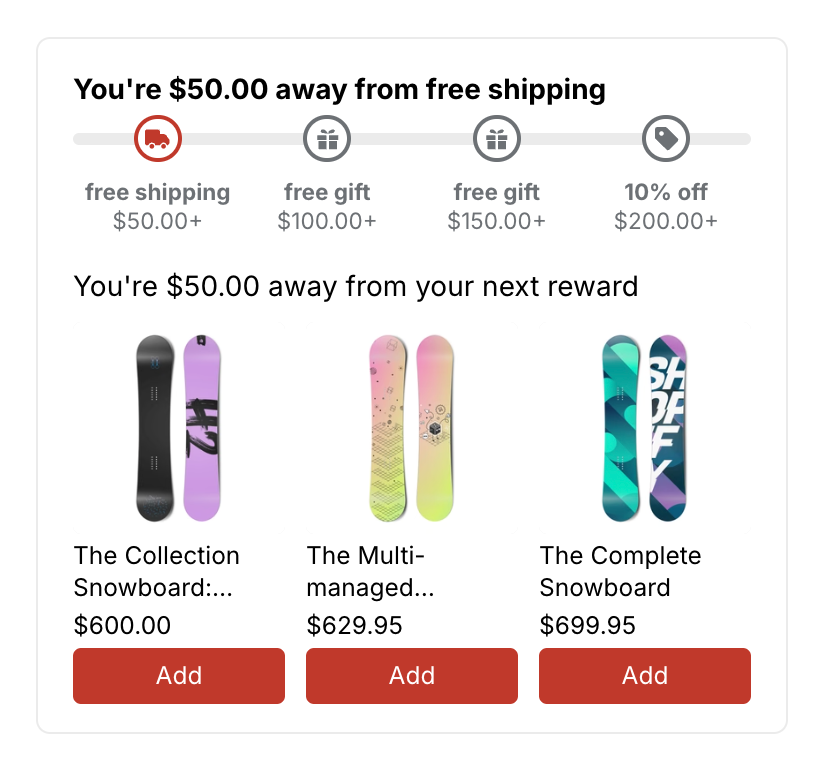
Give a free gift when the cart reaches a goal. AndOr can add it for the shopper, or let them pick their own.
- Free gift, added for you. The gift lands in the cart when the cart qualifies.
- Tiered rewards. Free shipping, free gifts and money off at different cart amounts. One progress bar shows every reward.
- Shoppers choose. A Choose gift button opens a window with every gift and its variants.
Track performance.
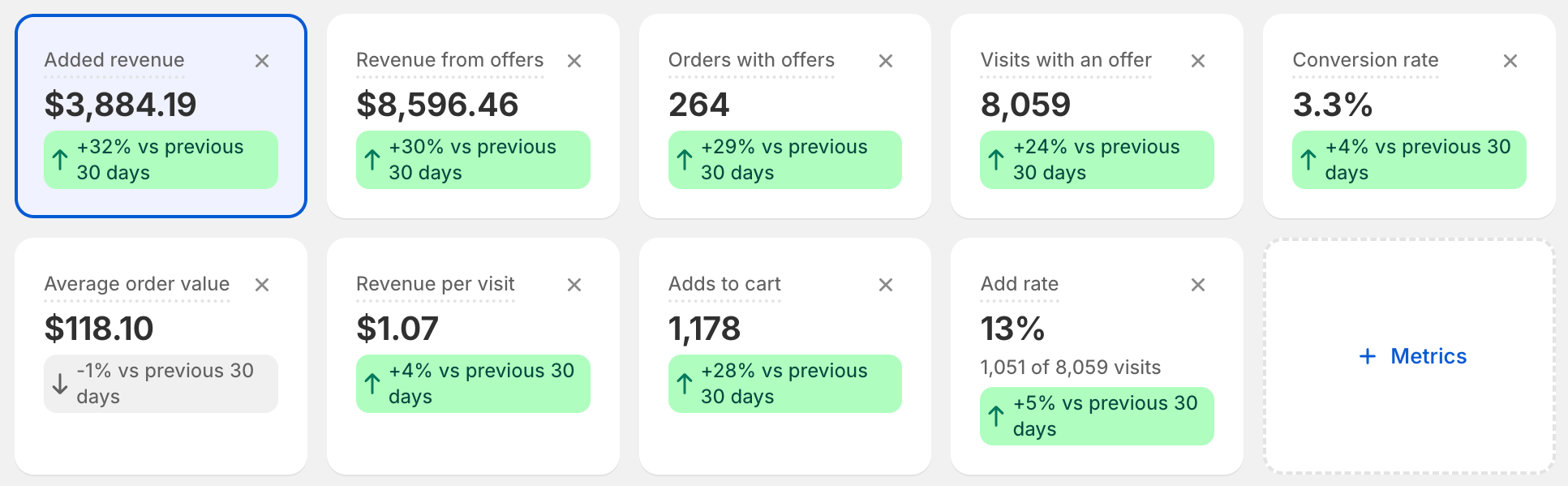
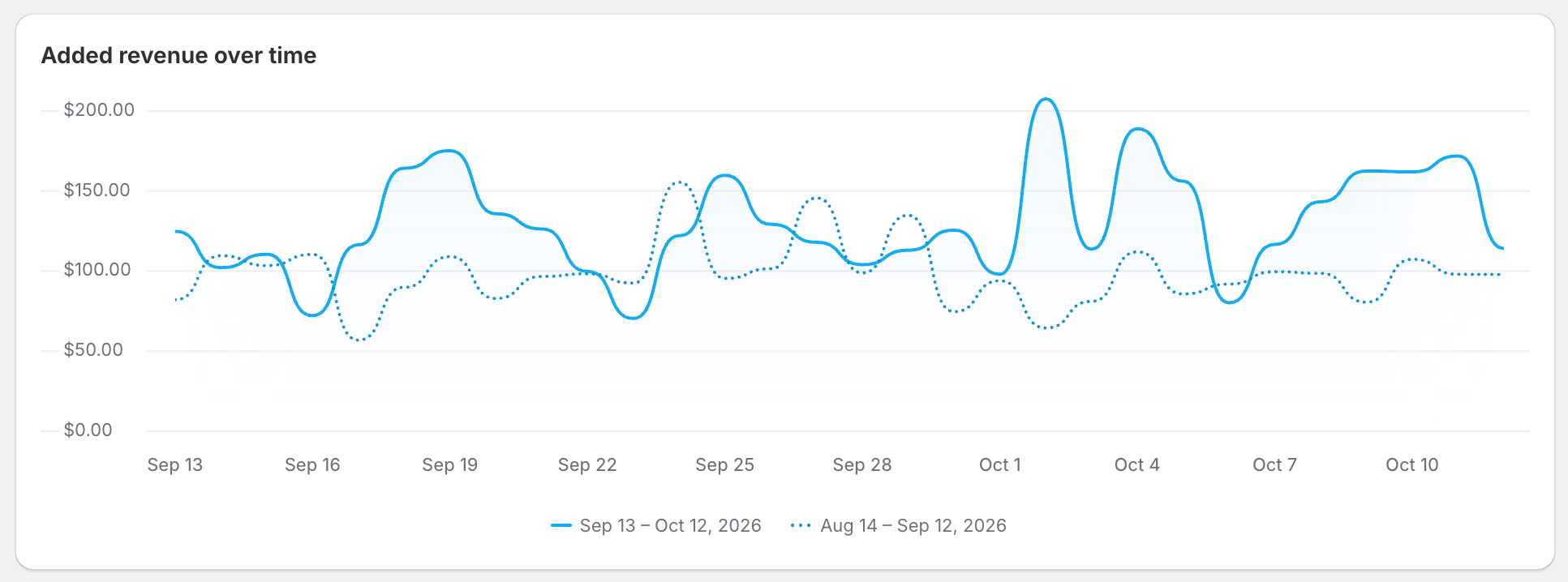
See the revenue your offers add, day by day.
- Added revenue. The extra money your offers bring in.
- Add rate. How often shoppers add the item you suggest.
- Results per offer. See which offer works best, and which placement.
- Works with your own widgets too. Discount results come from your orders, and your theme can credit orders to an offer.
Customizable to match your brand.
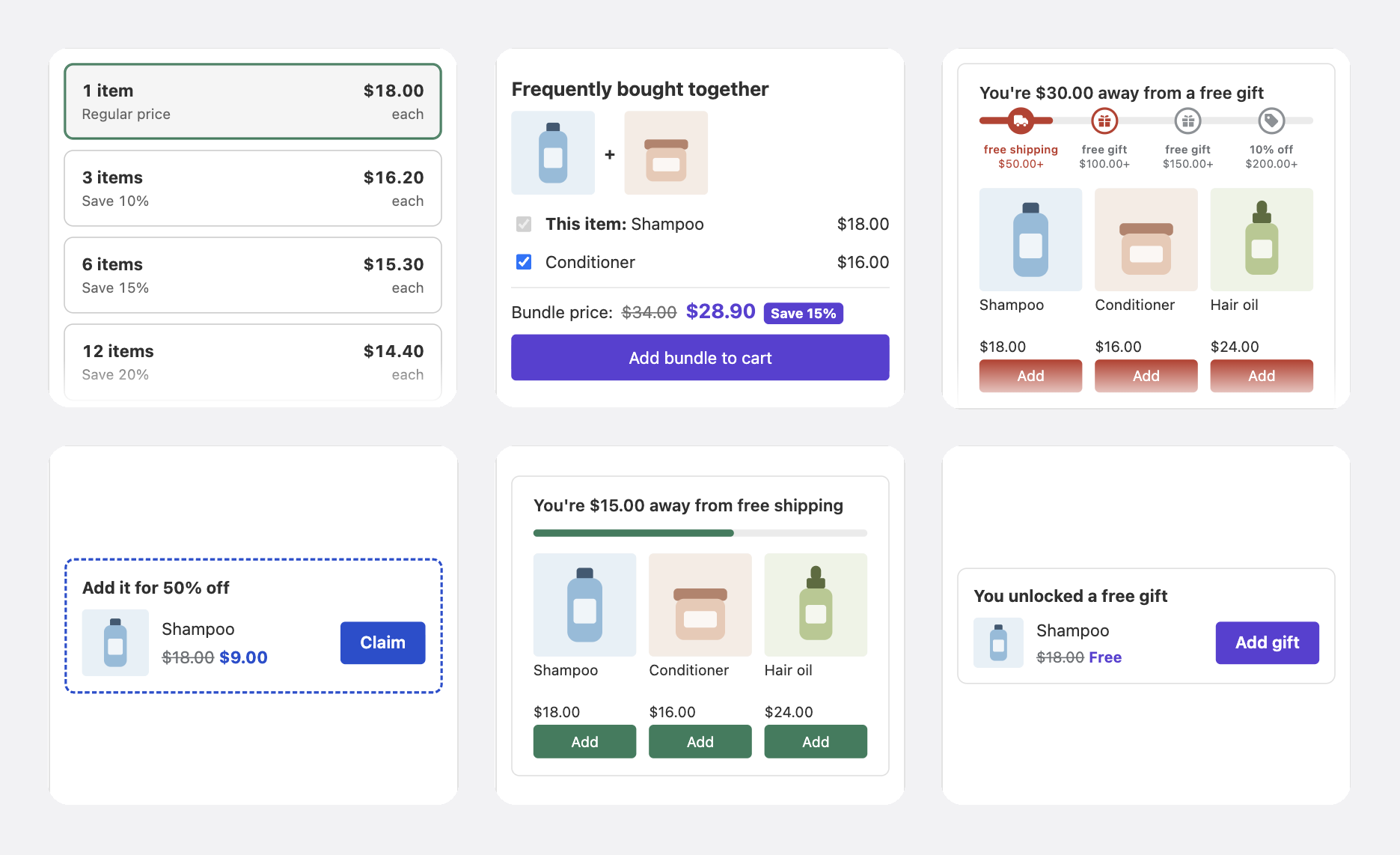
Pick your brand color, a layout and a style. Widgets use your theme's fonts, so they look like they were always part of your store.
Go further, down to the last pixel.
Start from a style preset, then tune color, corners, type and layout for each widget. Copy the CSS, the theme settings and the Liquid into the theme.
Style preset
Accent #B4441E
Typeface
Picker layout
Most popular tag
Goal
Track
Buttons
Size
Weight
Stoneware mug
$28.00
Add 1 more and save 15%
Add 1 more and save 15%
Add 1 more and save 15%
Add 1 more and save 15%
Buy more, save more
| Quantity | Discount | Price each |
|---|---|---|
| Buy 1+ | Regular price | $28.00 |
| Buy 2+ | 10% off | $25.20 |
| Buy 3+ | 15% off | $23.80 |
| Buy 6+ | 20% off | $22.40 |
You're $30.00 away from a free gift
You're $27.00 away from 10% off your order
- Cedar candle$34.00
- Canvas tote$32.00
- Clay bowl$36.00
Frequently bought together
- This item: Stoneware mug$28.00
- Clay bowl$36.00Add
- Cedar candle$34.00Add
Bundle price: $98.00 $83.30
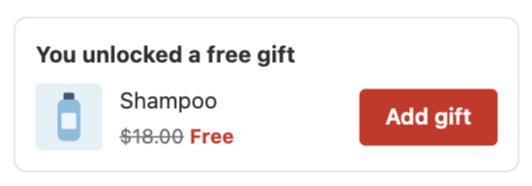
You unlocked a free gift
:root {
  --andor-color-accent: #B4441E;
  --andor-radius: 4px;
}
Paste into your theme's CSS or the app embed's Custom CSS box.
Feels native. Because it is.
AndOr builds on what Shopify already does well, so promotions feel like part of your store, not an add-on.
- Native to Shopify checkoutDiscounts run inside checkout, so the price shoppers see is the price they pay.
- Fast pagesWidgets load only where they show. Pages without one stay light.
- Looks like your themeApp blocks you place in the theme editor. They take your fonts and colors.
- Your wordsEdit the text shoppers see, so every message sounds like your store.
Works in your language. The app and the storefront widgets are translated into 22 languages.
Place it, style it, script it.
No shadow DOM, no iframes, no CSS fights. Widgets render in your theme's own markup and fire plain DOM events, so you can build anything on top. Recipes for Dawn and Horizon included.
{%- # Inside the product form. The embed must be on. -%}
<andor-tiers></andor-tiers>:root {
--andor-color-accent: #2C5E4A;
--andor-radius: 14px;
}
.andor-tiers__card[aria-checked="true"] {
box-shadow: 0 0 0 2px currentColor;
}document.addEventListener('andor:tier:change', (e) => {
const { currentTier, source } = e.detail;
// source: "picker" or "table"
console.log(source, currentTier?.quantity);
});Clay bowl
$36.00
andor:widget:mountThe sale price is on the page.
Questions merchants ask.
Anything else? The docs cover setup, themes and each widget.
Read the docsDoes AndOr slow down my store?
No. Widgets read data already stored on Shopify, on your own store. Discounts run inside Shopify checkout.
Where do discounts run?
Inside Shopify checkout, through Shopify Functions, the same way Shopify's own discounts run.
Which themes work?
Online Store 2.0 themes. Widgets are theme app blocks you place in the theme editor. AndOr is tested on Dawn and Horizon.
Can shoppers pick their own free gift?
Yes. Turn on "Let shoppers choose their gift". A Choose gift button opens a window with every gift and its variants.
Where do I see results?
On the Analytics page. See added revenue, add rate and results for every promotion, upsell offer and placement.
What happens when two discounts can't be combined?
Shopify applies the best one at checkout, and AndOr tells the shopper which one wins.
I use Shopify Scripts. Can I move to AndOr?
Yes. Payment and shipping logic moves to AndOr checkout rules, and line item discounts move to AndOr discounts. Both run on Shopify Functions.
Do checkout rules work in my retail store?
No. Checkout rules apply to the Shopify online checkout only, not to Shopify POS.
Start adding revenue today.
- 1Turn on the app embed
- 2Create your first promotion