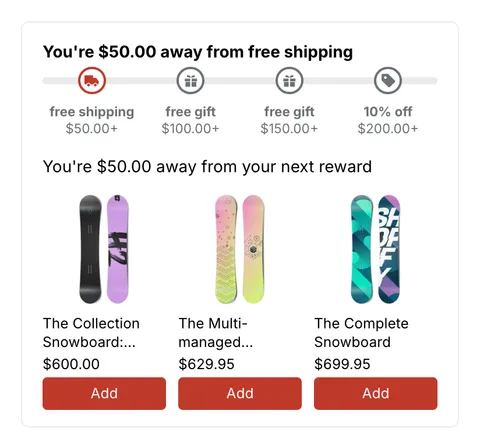
 See it in action
 Themes overview
On this page
AndOr’s storefront widgets work on any Online Store 2.0 theme. How much works depends on the theme: the cart drawer parts and instant updates need a theme that sends Shopify’s storefront cart events. The rules are on Theme requirements.
This section has a page for each theme we test, with where each block goes, style tips, cart drawer notes and known quirks.
Status by theme
| Theme | Tested | App blocks | Cart drawer | Notes |
|---|---|---|---|---|
| Horizon | 4.3.0 | Yes | Yes, 4.0 or later | Cards take AndOr blocks |
| Tinker | 4.3.0 | Yes | Yes | Built on Horizon |
| Dawn | 16.1.0 | Yes | Yes, 15.5 or later | Cards need the recipes |
| Sense | 16.1.0 | Yes | Yes | Built on Dawn |
| Other free Horizon and Dawn themes | Not yet | Yes | At their latest version | Expected to match |
| Other 2.0 themes | Not tested | Most sections | Only with the events | Most paid themes lack them |
| Vintage themes | No, stand-in only | No | No | One-line tags and the app embed only |
All tests ran on our demo store on October 16, 2026. Cart drawer also means instant updates: both need the same events, and every tested 2.0 theme sends them.
Tip Not sure what your theme supports? Open your store, add a product to the cart and open the cart drawer. If your AndOr goal bar or gift slot shows there, your theme sends the events.
Your theme isn’t listed
- It is an Online Store 2.0 theme: add the AndOr blocks in the theme editor. Where a section has no Add block for apps, a developer can paste a one-line tag.
- It has a custom cart drawer: a developer can make it send the events. See Cart drawer.
- Something looks wrong: email andor@backtrackhq.com with your theme’s name and version.