Promotions

Pick a promotion. Shoppers see the deal.

Volume discounts, BOGO, bundles, free gifts and sales. Each promotion is a Shopify discount, the widgets that show it on your store, and often an upsell offer that nudges shoppers to add more. Pick a card and AndOr sets up all three.

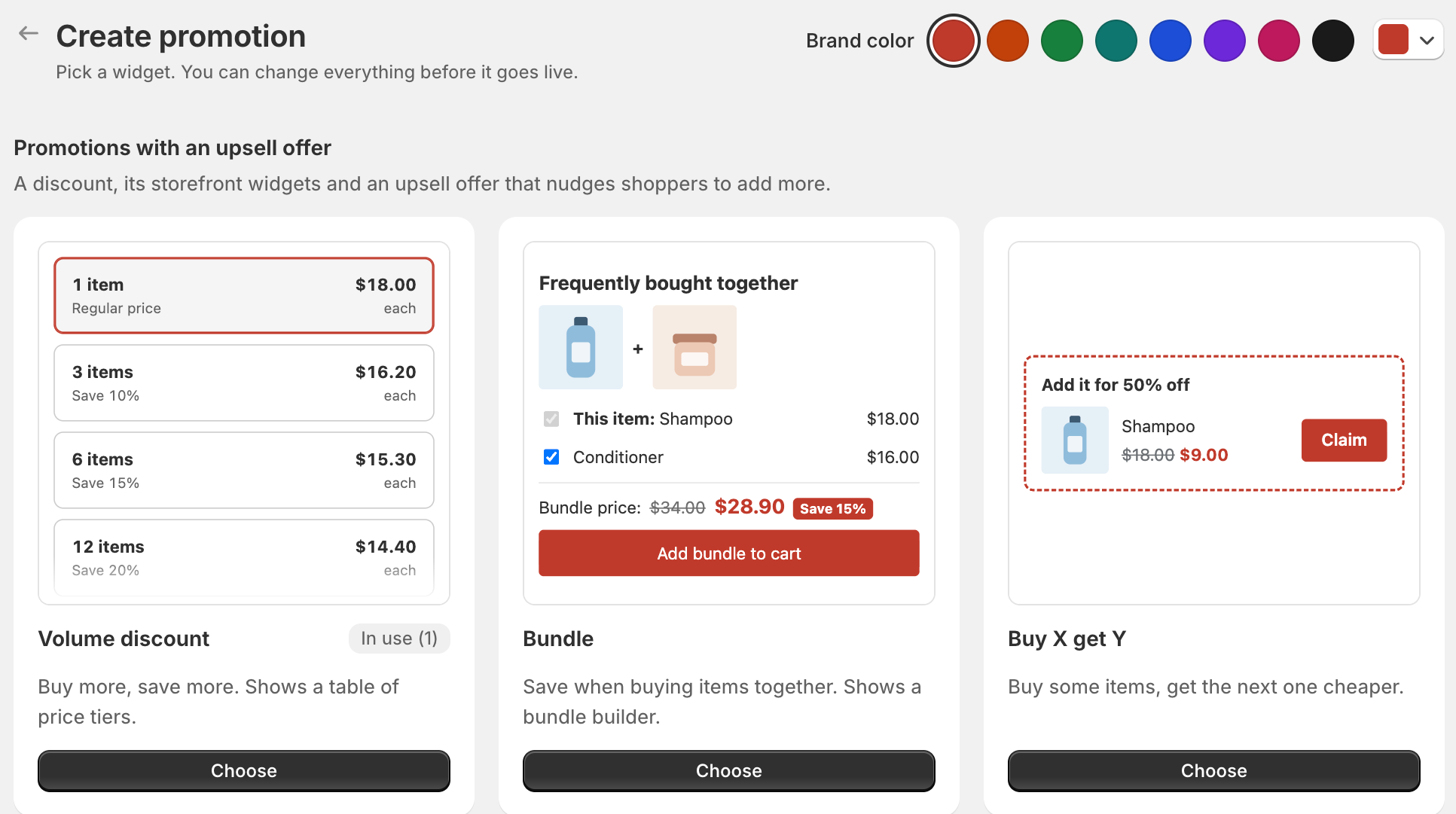
The Create promotion gallery with Volume discount, Bundle and Buy X get Y cards
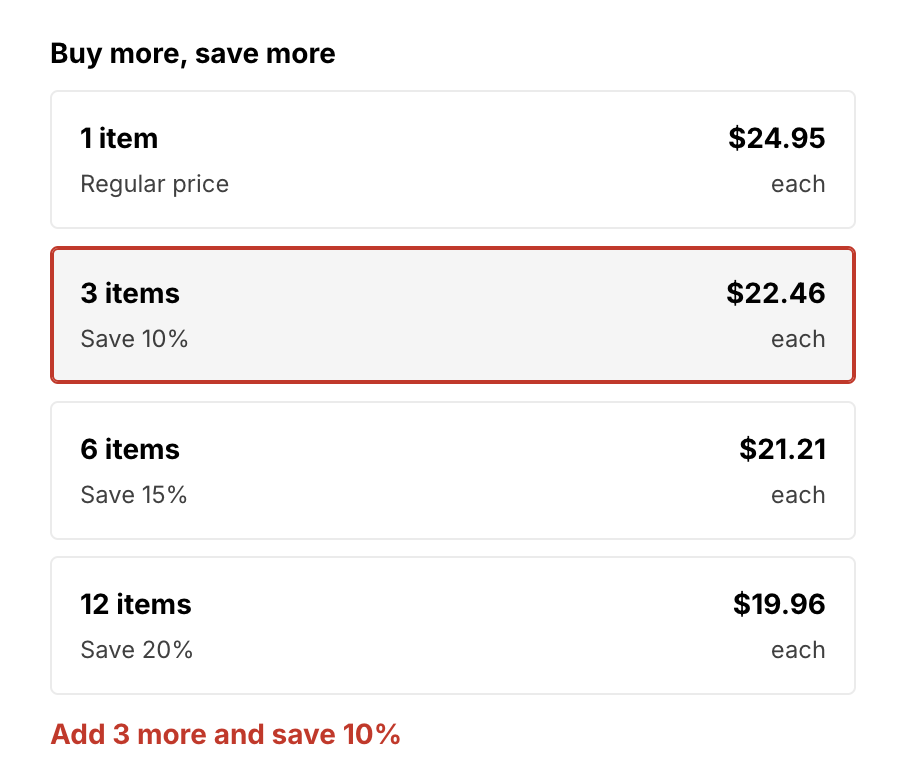
Volume tiers on a product page with the line Add 3 more and save 10%
One page

One discount, three parts.

  • DiscountThe real Shopify discount. Shoppers get it at checkout.
  • Storefront widgetsThe blocks that show the deal on your store, like a sale price or a goal bar.
  • Upsell offerA message that tells shoppers what to add to get the next reward.
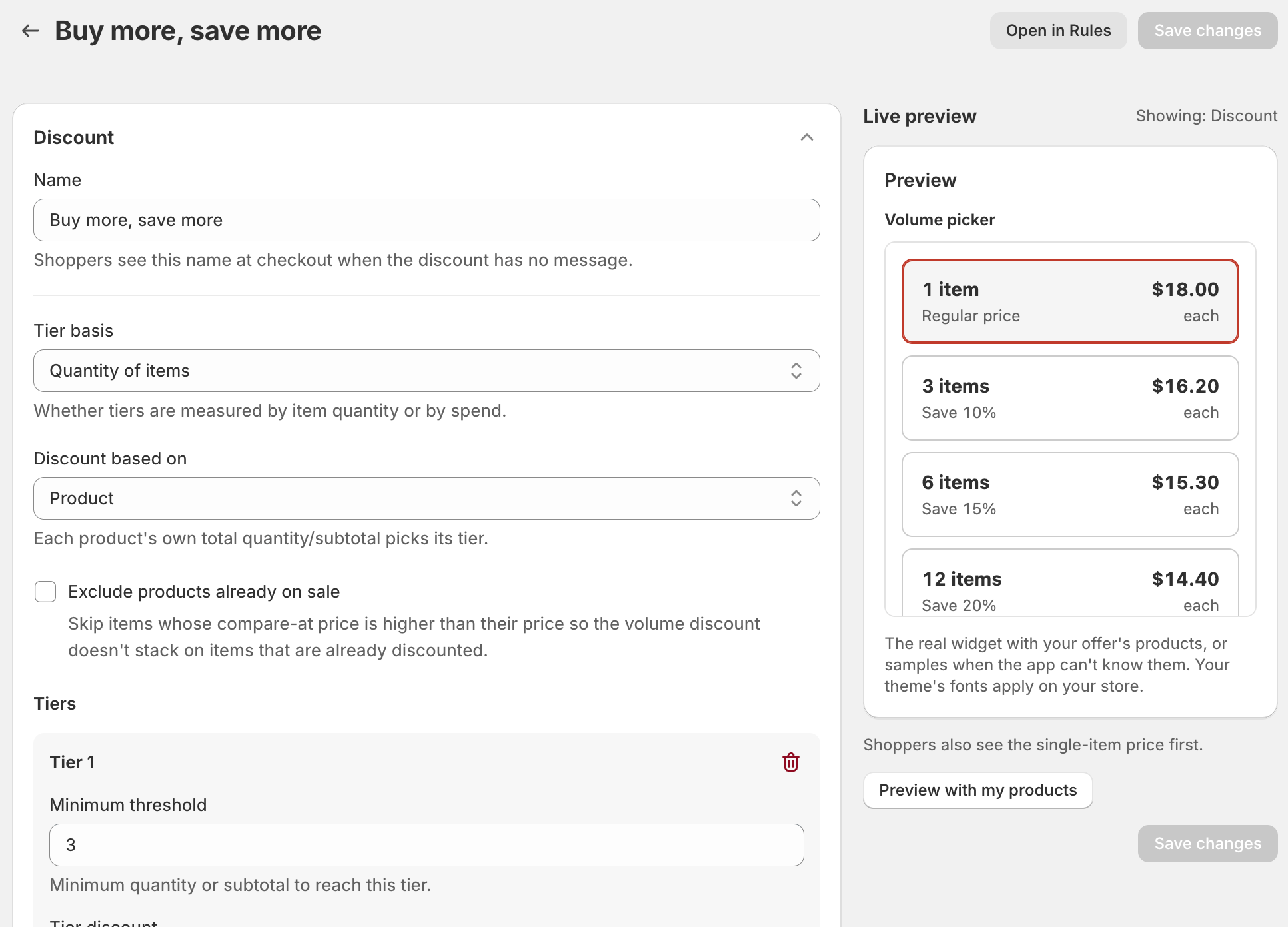
A volume discount promotion page with the Discount section and the Live preview
Setup

Live in three steps.

  1. Pick a card

    Open Promotions, click Create promotion, then click Choose on the card you want. It opens with a working setup.

  2. Change what you need

    Open each section and change what you like. The Live preview shows how it looks on your store.

  3. Make it live

    Click Make it live. The What's next panel shows you how to add the widget to your theme.

Every plan includes promotions, the Free plan too.

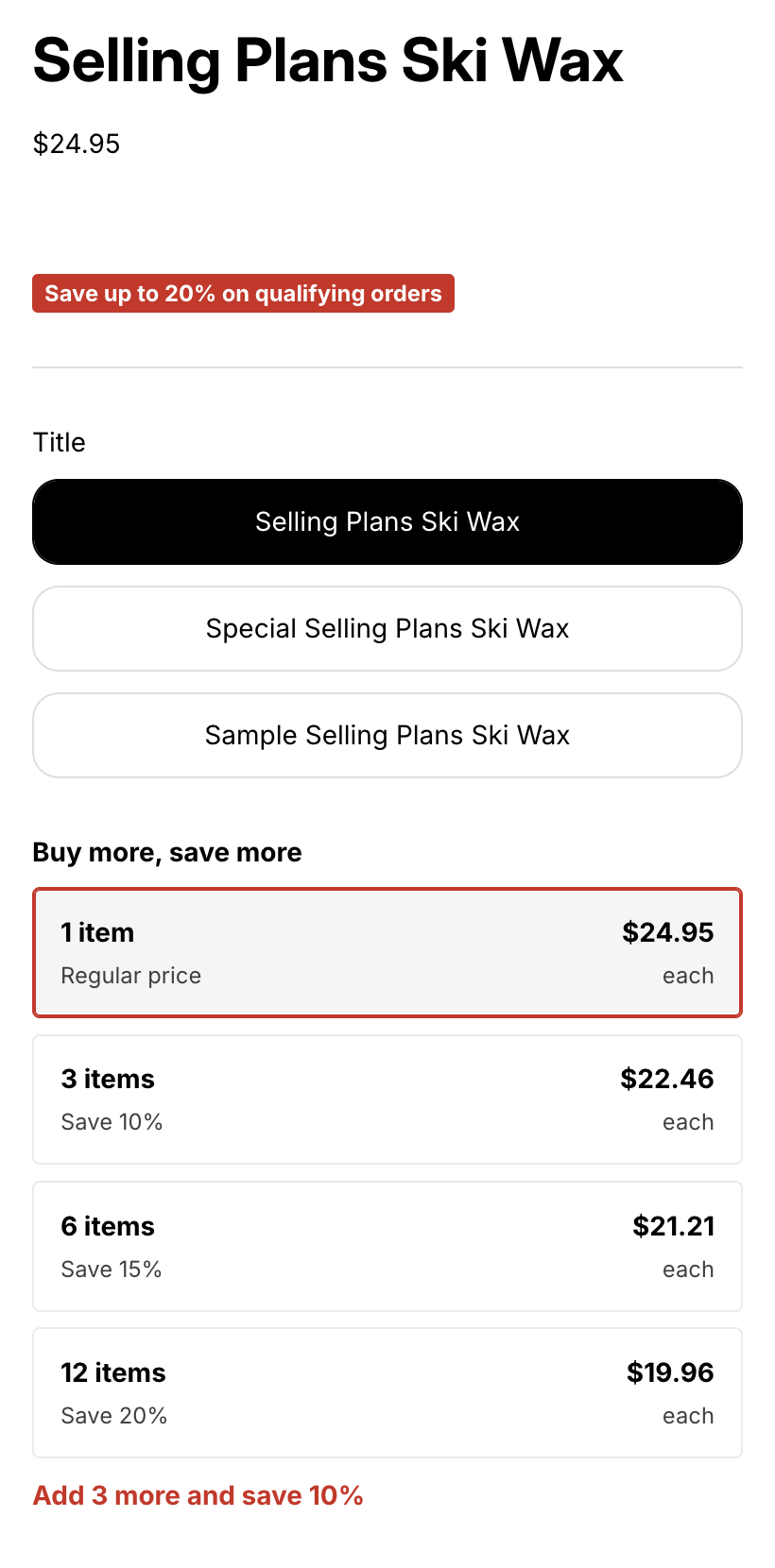
A product page with a savings badge and volume tiers
What shoppers see

Deals your shoppers can't miss.

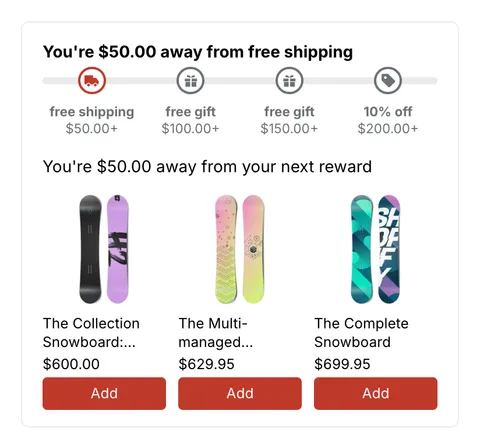
  • Spend more, save more: the goal bar shows each reward, and suggestions help shoppers reach the next one.

    Promotions
Changes every few seconds
A man standing in his kitchen, smiling at his phone

Start adding revenue today.

Install on Shopify